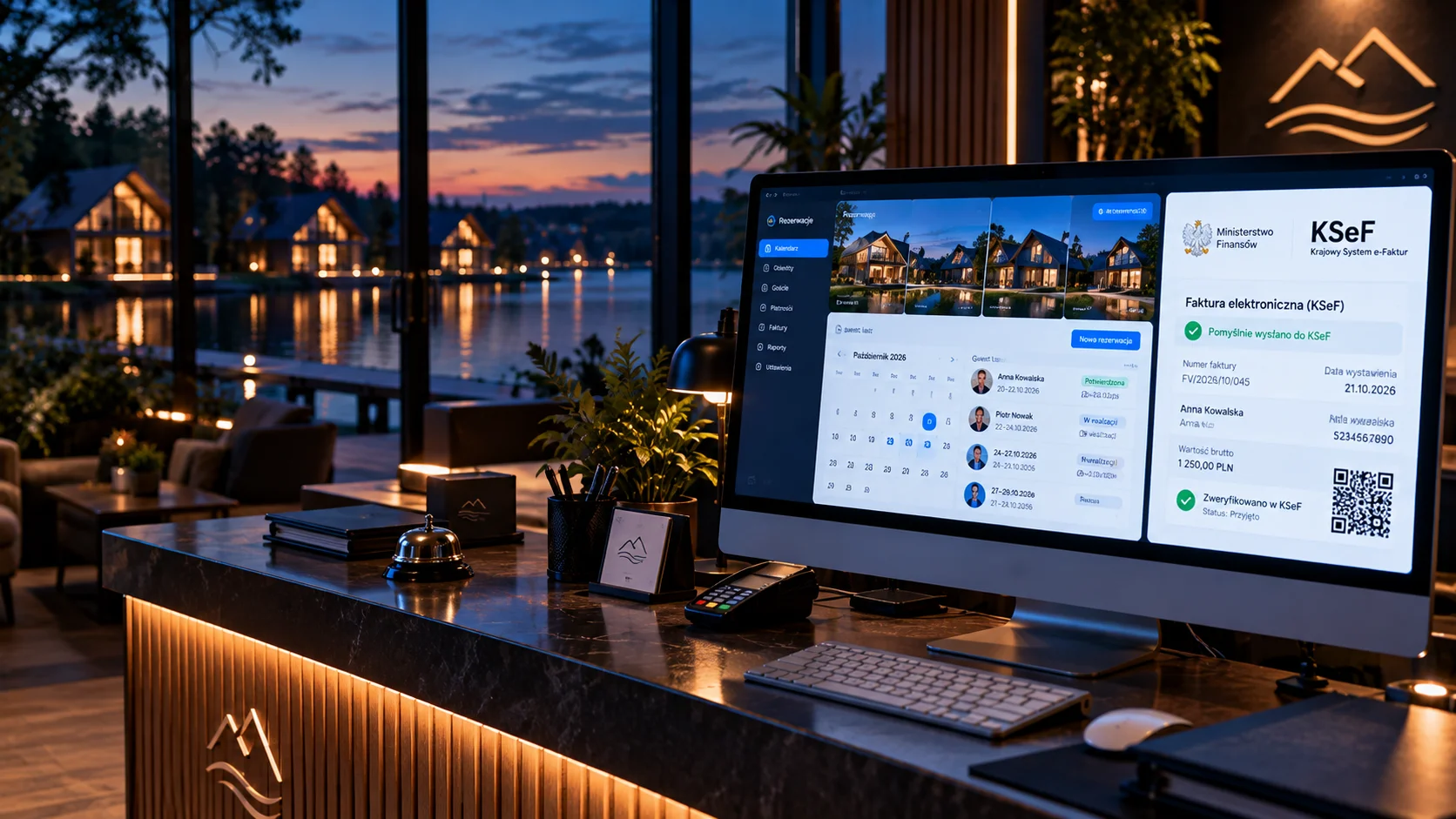
The client runs a network of campsites and camper pitches. In the season that means thousands of bookings (tents, cabins, camper pitches), and each one requires an invoice. Until now, invoices were created by hand in the admin panel, one after another. KSeF changes that process: a structured invoice is an XML file sent to the Ministry of Finance system.
The task: connect the existing booking system (PHP 8.4, MariaDB) to KSeF 2.0 so that an invoice is created from a booking and reaches KSeF with one click, in line with the FA(3) schema.
In short
- Integrating a ready PHP system with KSeF 2.0: 24 hours of development work in 4 sessions.
- Authentication with a KSeF certificate, submission via the n1ebieski/ksef-php-client library, on shared hosting.
- Most time went into the XSD rules of the FA(3) schema and QR codes.
- Result: a single invoice is submitted in 3-5 seconds, with a batch queue and a status panel.
Starting point
The booking system had been running for years and generated PDF invoices from booking data. A PDF, however, is not a structured invoice: KSeF requires an XML file in a defined schema, encryption and communication with the Ministry of Finance API. An additional constraint: shared hosting instead of a VPS, meaning no control over PHP extensions, including bcmath.
We described the deadlines and the contingency modes for small businesses in the article KSeF from 2026.
Authentication: a certificate instead of a token
KSeF 2.0 offers two authentication methods: a token and a KSeF certificate. We decided on a certificate:
- A .p12 file with a private key, password-protected and issued with limited validity (a maximum of 2 years according to the KSeF portal).
- QR code II in offline mode requires a type 2 KSeF certificate, so we need certificates anyway.
- The n1ebieski library supports certificates natively, including encryption and session management.
Update: tokens stay
Earlier it was assumed that tokens would be withdrawn by the end of 2026. According to the KSeF portal (as of October 2026), the Ministry of Finance has decided to keep tokens indefinitely. A certificate is still our first choice, but it is no longer an "escape from the phase-out of tokens".
The comparison of the methods is described in detail in the technical guide to KSeF certificates, tokens and environments.
The n1ebieski/ksef-php-client library
This is a PHP library for the KSeF v2 API, installed through Composer. It handles the whole flow: opening a session, AES-256-CBC encryption, sending the XML, closing the session and retrieving the KSeF number. The hosting lacked bcmath, which the library uses in cryptographic operations, so we added the phpseclib/bcmath_compat polyfill, pure PHP with no system dependencies.
FA(3) XML: where you lose time
The FA(3) schema has more than 200 fields with strict validation rules. Every rejection ended with an XSD schema violation message that did not always reveal which field was at fault. The most common pitfalls:
| Problem | Solution |
|---|---|
NrWierszaFa as a string | Cast to int: PHP treats array keys as strings |
FaWiersz array indexed from 0 | Index from 1 |
Zaplacono and TerminPlatnosci in one invoice | Mutually exclusive fields: a paid invoice has no payment due date |
Order of elements in Platnosc | Keep the schema order: Zaplacono, DataZaplaty, FormaPlatnosci, RachunekBankowy |
PrefiksPodatnika next to DaneIdentyfikacyjne | The element must be inside DaneIdentyfikacyjne |
Free consultation
Does your system issue invoices? We will check its KSeF readiness
We will assess whether a connector to your existing system is enough, and estimate the time and cost of integration.
Book a call+48 731 377 999Three environments in one configuration field
KSeF 2.0 has three environments: TEST (api-test.ksef.mf.gov.pl), DEMO, i.e. pre-production (api-demo.ksef.mf.gov.pl), and PROD (api.ksef.mf.gov.pl), according to the CIRF documentation. They are logically and technically separated: keys, certificates and tokens from one environment do not work in another. In our system, switching the environment is a change to a single database field. The API addresses, QR code domains and verification points change automatically.
QR codes on the PDF invoice
Invoices issued in offline mode carry two QR codes, as described on the KSeF portal:
- Code I (OFFLINE) leads to the invoice and lets you verify its data. It contains the seller’s NIP (tax ID), the issue date and the SHA-256 hash of the invoice file.
- Code II (CERTIFICATE) confirms the issuer’s identity and requires a type 2 KSeF certificate. This is a different certificate from the one used to log in to the API.
After the invoice is sent to KSeF, one QR code with the KSeF number remains on the visualisation. Our system generates the codes automatically and places them on the PDF with dynamic positioning (a new page when space runs out).
Security
- The .p12 certificates sit outside the webroot directory, with chmod 600 permissions.
- Certificate paths are in the database configuration, not in the code.
- After an invoice is sent to KSeF, editing the buyer’s data is locked (status 2).
- Certificate passwords were stored in the database base64-encoded. That is a convenience, not encryption, so for new deployments we recommend encryption (e.g. libsodium) with the key kept outside the database.
Test certificates do not work in production
Before the production launch, issue KSeF certificates (type 1 and type 2) in the production environment. Elements from TEST or DEMO will cause errors.
The result
Booking
A guest books a pitch, and the data goes into the system.
Generate the invoice
Reception clicks a button, and the system builds the FA(3) XML from the booking data.
Send to KSeF
Session, encryption, submission and closing the session.
KSeF number
The number returns automatically, and the PDF with the QR code is ready to download.
Batch submission works as a sequential queue (one invoice after another) with live status. The KSeF panel shows a list of invoices with a filter by month and status, statistics (sent, pending, errors) and XML download. At the time of deployment the client was testing the system in the test environment, and the production launch required issuing KSeF certificates in production.
We prepare similar solutions as part of online booking systems, and invoicing itself is covered by the KSeF invoice automation service. Indicative prices are in the price list.
Need help?
Automating bookings and e-invoices
Dedicated online booking systems for tourism and services with automatic KSeF invoicing. We reply within 24 hours.
Write to us (reply within 24 h)Call: +48 731 377 999